Blacklight Resumes · flagship field brief
The Blacklight Partner Field Brief
A practical partnership model for accountable resume support across workforce and community programs.
Blacklight gives workforce and community programs a maintained resume-support workflow they can offer participants without building the full operating system themselves.
What this brief is for
Use the field brief when the first question has moved from “what is Blacklight?” to “could this work inside our program?” It explains the operating problem, the partner lane, the workflow, and the pilot shape without needing a live walkthrough first.
Who should recognize themselves here
The operating problem
Resume support often starts with good intent and weak infrastructure. A participant asks for help, a staff member does what they can, and the organization is left trying to remember what happened across inboxes, spreadsheets, and one-off follow-up.
- Resume help often starts as ad hoc support instead of a maintained service lane.
- Participants need a clearer path than a generic form and a vague wait.
- Frontline staff should not have to rebuild the workflow from inbox memory.
- Program leaders need a story they can explain internally without stitching together spreadsheets and screenshots.
The partnership opportunity
Blacklight gives a program a maintained resume-support lane without asking the partner to build intake, status, delivery, support, and reporting from scratch. The opportunity is practical: a clearer participant path, cleaner staff boundaries, and a program story that can survive internal review.
- Partners can offer a more credible service lane without inventing every step locally.
- Participants get a guided path and clearer status visibility.
- Frontline staff get cleaner handoff boundaries and less manual reconstruction.
- Program leaders get a more legible program story for review, renewal, and rollout planning.
What Blacklight provides
Blacklight provides the workflow pieces that make resume support easier to operate: guided intake, resume and cover-letter support, request status, delivery, reporting, and support routing. The point is not another form. The point is a maintained lane a partner can explain.
- Hosted or referred intake that stays structured instead of becoming a local workaround.
- Resume and cover-letter support delivered through one maintained workflow.
- Status visibility and delivery follow-up that stay attached to the request.
- Partner-facing reporting and exports that make oversight easier.
- Scoped staff access plus support and trust routing that do not collapse into one inbox.
How the workflow works
The real lane is simple enough to explain: a participant enters through a hosted or referred path, Blacklight collects the details needed for the request, work moves through processing and review, delivery stays tied to status, and partner reporting gives the program a readable operating view.
- Referral and hosted intake can both lead into the same structured workflow.
- Processing, delivery, and status stay visible enough to explain what happens after intake.
- Support and factual-correction follow-up stay on the request-specific lane instead of falling back to loose email threads.
- Partner reporting turns activity into a reviewable program view instead of an anecdotal one.
What each stakeholder gets
A useful partner lane has to work for more than one reader. Participants need a clear next step. Frontline staff need a handoff they can trust. Program leaders need visibility. Operations owners need boundaries that do not depend on institutional memory.
- Participants get a guided path and stronger delivery confidence.
- Frontline staff get clearer referral and support boundaries.
- Program leaders get reporting visibility and rollout clarity.
- Operations and admin owners get a maintainable workflow with scoped access and traceable handoffs.
Partner use cases
The same operating model can support workforce programs, libraries, colleges, nonprofits, training providers, and specialized support organizations because the common problem is operational: people need resume help and teams need a cleaner way to route it.
- The core lane stays the same even when the framing changes.
- Hosted intake and partner reporting adapt to different program settings.
- Later partner-type briefs can deepen the framing for each audience.
- Use cases should feel like proof of fit, not claims of existing deployments.
Workflow proof
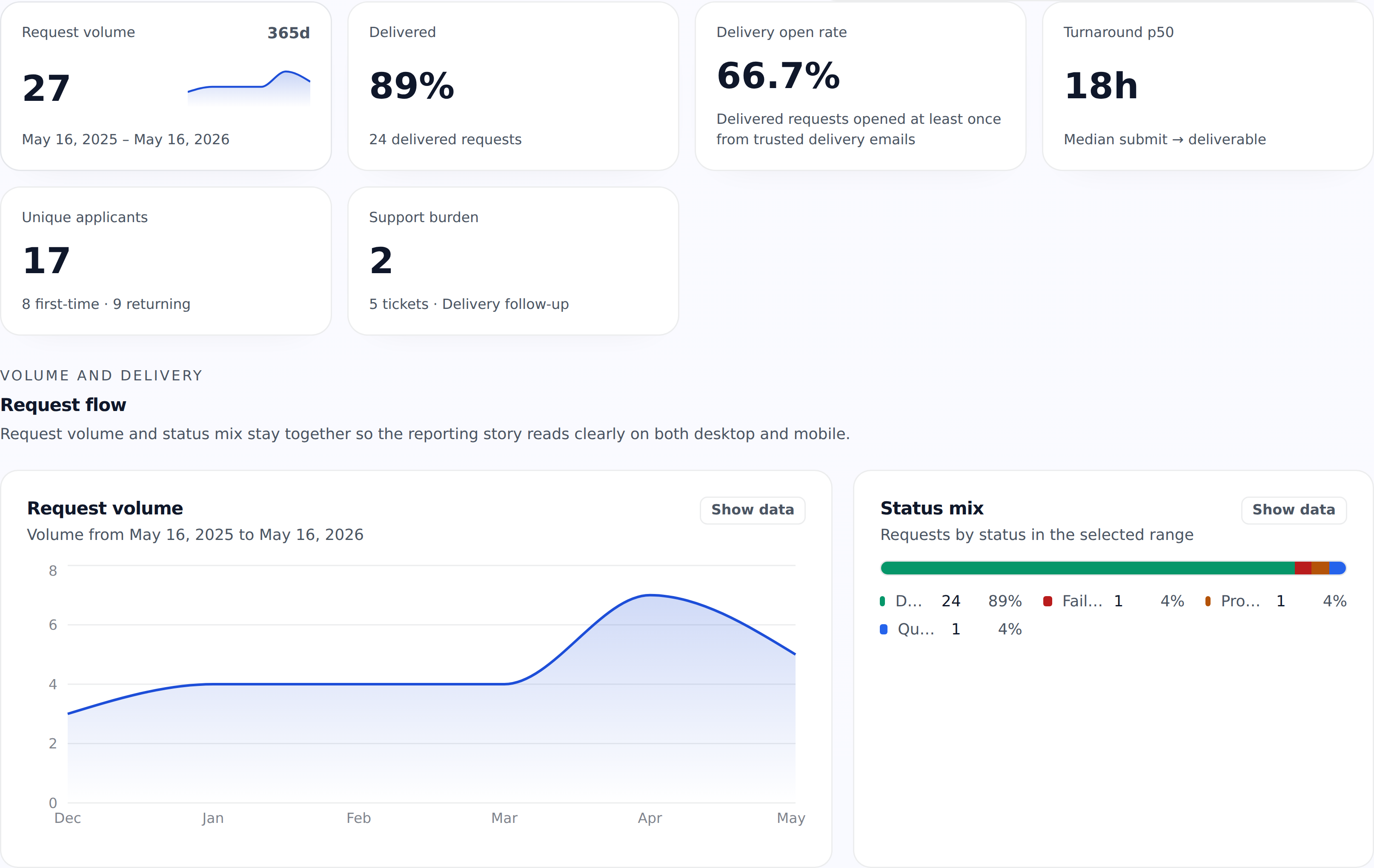
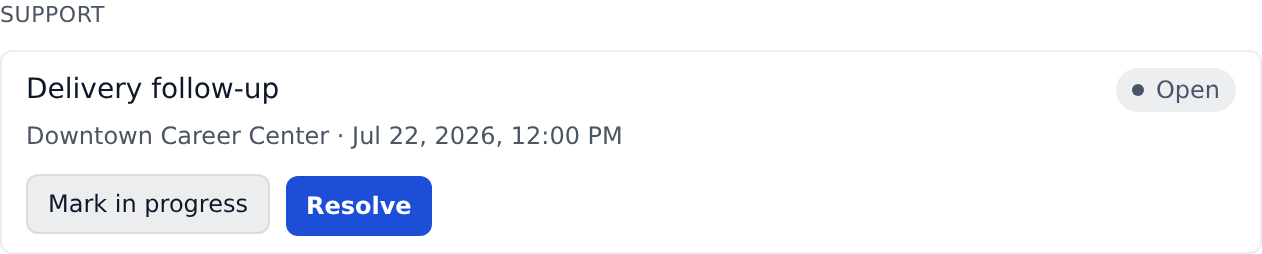
Real product captures keep the workflow believable without turning this brief into a dense operations appendix.
Operational proof
- Hosted intake and embeds: Run the service from a hosted partner page, an iframe embed, or both depending on how your organization wants to launch.
- Locations and staff access: Manage multiple branches, campuses, or sites with scoped staff access. Account leadership can keep local capacity changes admin-only, require approval for increases, or delegate approved preset changes. Location managers stay limited to assigned locations and the account-wide cap, and applied changes preserve a reviewable history.
- Reporting and exports: Download partner-facing reports that show people served, location activity, target trends, and program adoption.
- Trust and support workflow: Trust materials, support routing, and partner billing controls stay available without sending users through the public checkout flow.
Rollout steps
- 01. Request access
- 02. Review fit and billing
- 03. Launch hosted intake
- 04. Monitor usage and reporting